
Clear your Dock in seconds, not minutes
Open and quit multiple Mac apps effortlessly. Menu bar utility.
No Accessibility permission. No tracking.
macOS 14+ · Free updates forever
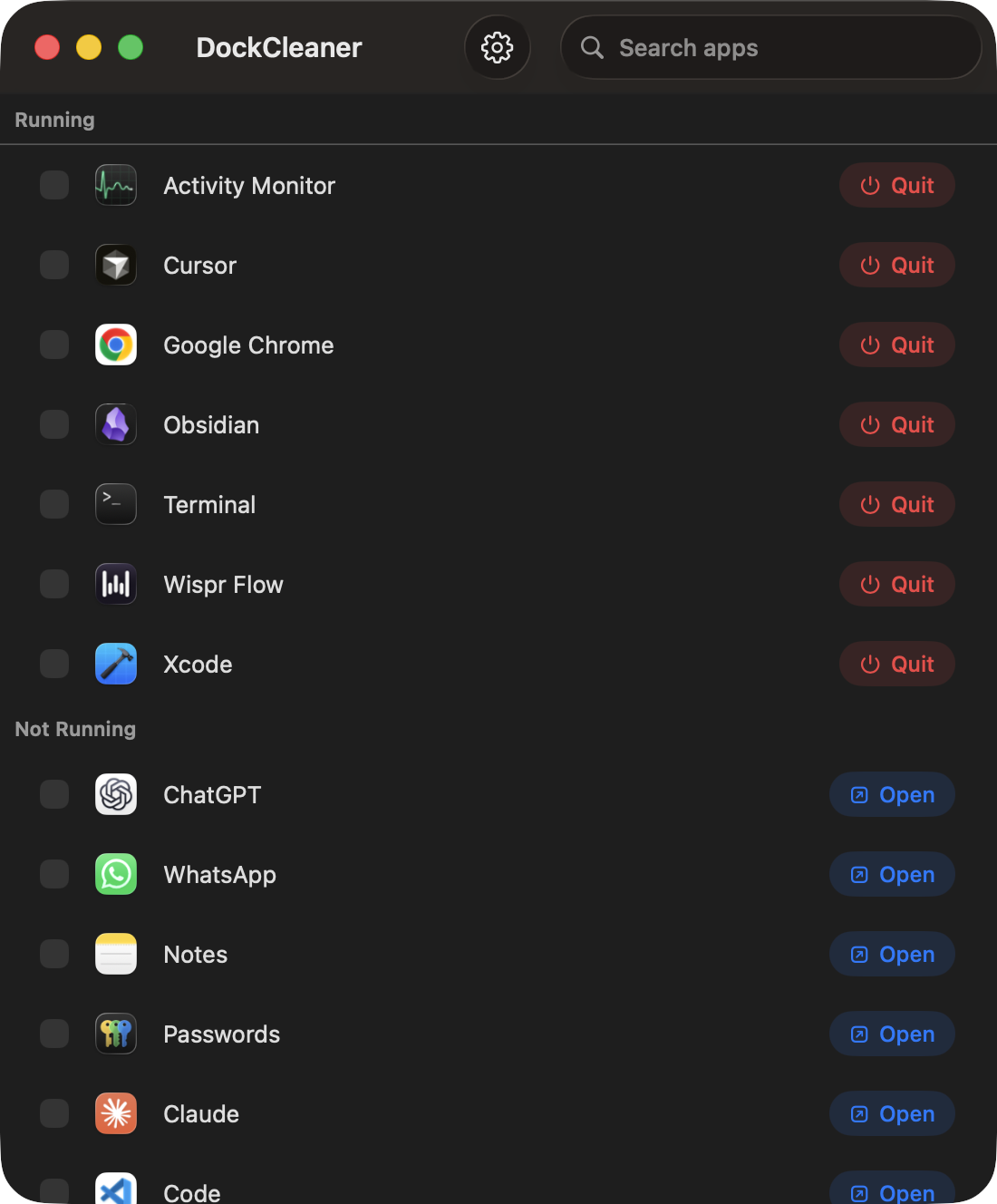
You already know the pain
DockCleaner is the simple fix. Pick apps. Open or quit. Done.
How it works
- 1
See what's open
Apps you're using now are at the top for easy access. Everything else is below.
- 2
Pick one or several
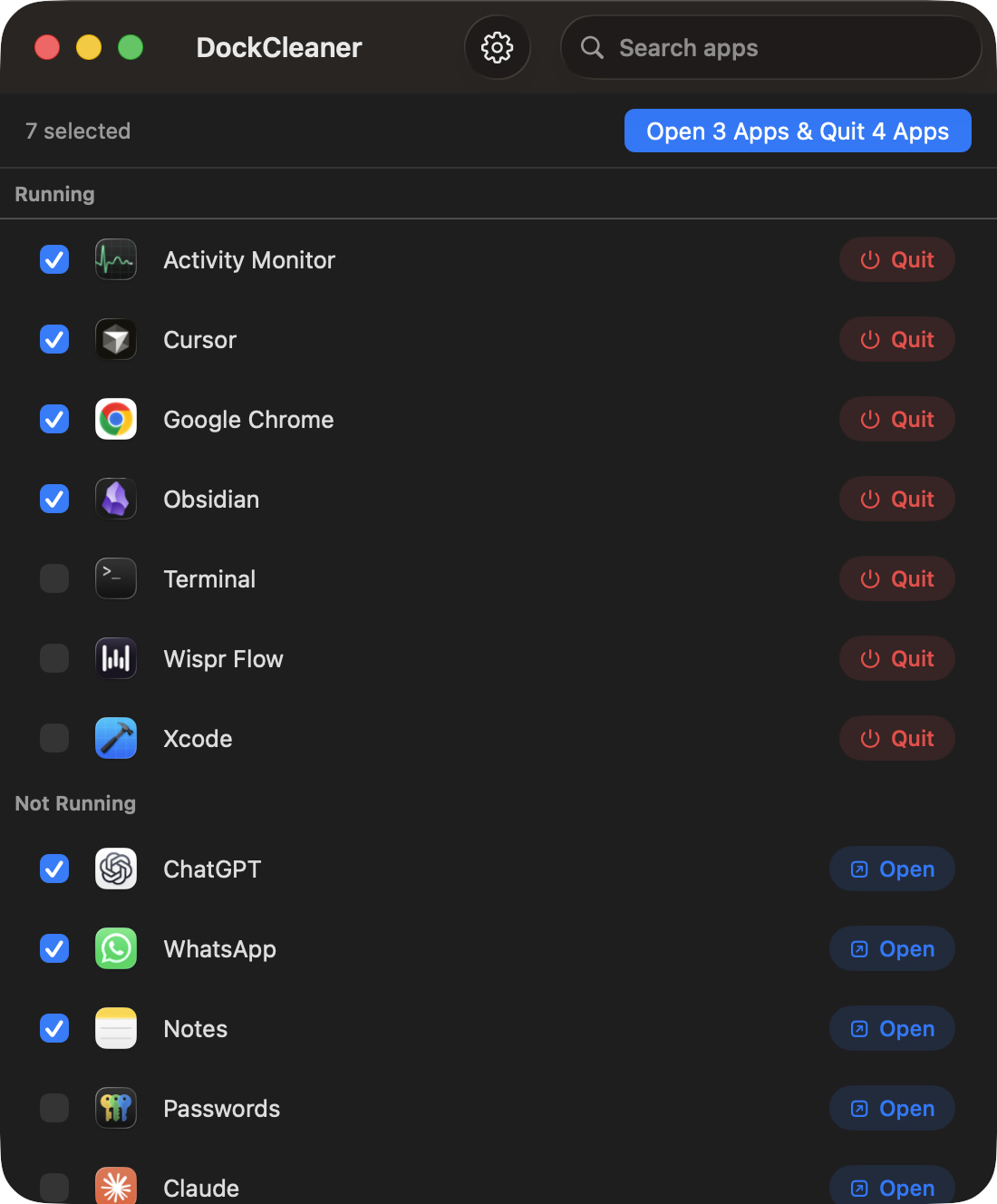
Close or open a single app, or select a few if you want to change more than one.
- 3
Do it in one click
For instance, Open five apps and quit three with just a single click.
Open some. Quit some. One click.
Check the ones you want to open and the ones you want to quit. DockCleaner handles both together — like open 3 apps and quit 4 apps altogether. Handy before a meeting or when your Dock is just a mess.
- ✓No force quit
- ✓No Accessibility permission
- ✓No tracking
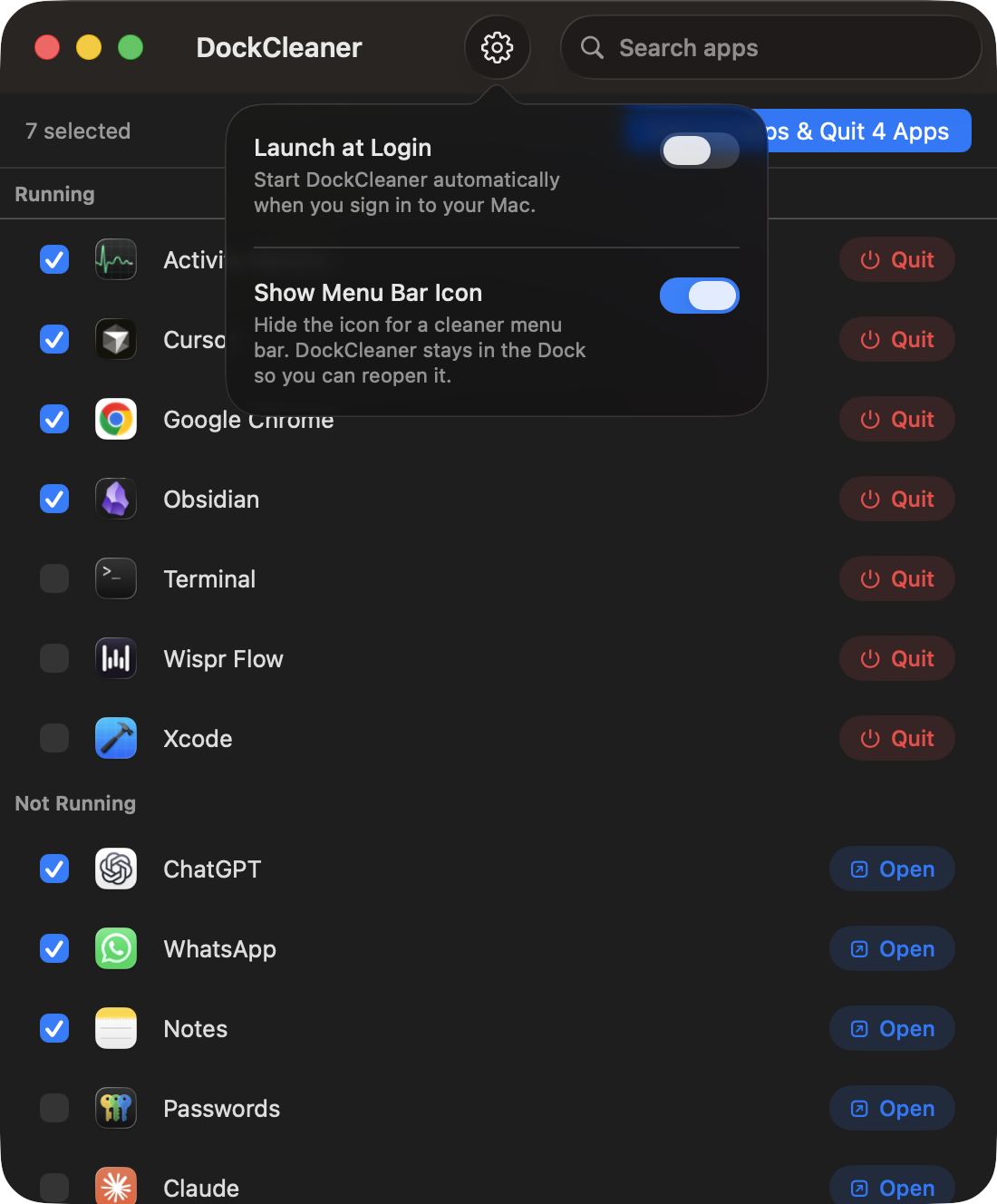
Launch at login. Hide the menu bar when you want.
Prefer a cleaner menu bar? Turn it off and DockCleaner still sits in the Dock so you can open it anytime. Settings stay on your Mac. No account. No tracking, promise.
Pricing
Download free. Try it for 3 days. Pay once, if you like the app.
DockCleaner
$19$9once
- ✓Lifetime license for 2 Macs
- ✓Free updates forever
- ✓No subscription
- ✓No tracking
- ✓Priority support
FAQ
What does it cost?+
Download is free with a 3-day trial. After that, $9 one-time for a lifetime license and free updates forever. No subscription.
How do I download?+
Click Download Now on this page. No payment required to get the app.
How do I activate a license?+
Activate the license in the app under 'Settings' > 'Activate License' with the key you receive after payment. Works on up to 2 Macs.
What Macs does it support?+
macOS 14 (Sonoma) and later.
Do I need Accessibility access?+
No. Open and quit uses normal system APIs only.
Does it track me?+
No. No analytics, no accounts, no cloud. Everything stays on your Mac.
Stop babysitting your Dock
macOS 14+ · Free updates forever